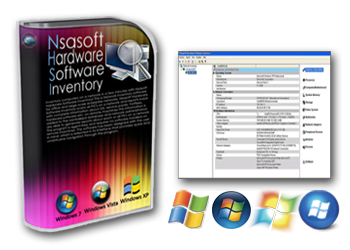
Nsasoft Hardware Software Inventory

Nsasoft Hardware Software Inventory - Scans network and displays complete hardware and software information!
System Requirements:
Windows 7,Windows Vista,Windows XP
Current version: 1.1.9
Release date: Jan 20, 2012
Free to Try 15 Day
Full version for only $69.00
Download Nsasoft Hardware Software Inventory Here
Purchase Nsasoft Hardware Software Inventory Here
Nsasoft Hardware Software Inventory - Scans network and displays complete hardware and software information!

Nsasoft Hardware Software Inventory is a powerful network inventory software for home, office and enterprise networks. The software scans all computers on a network and generates complete reports about computers hardware and software. This information is added to the centralized database and then users can generate reports about each or all of the PCs on a network.

The program is agent free and requires no software installed on remote machines. The software can export reports to Tab Delimited Txt File (.txt), Excel Workbook (.xls), CSV Comma Delimited (.csv), Web Page (.html) or XML Data (.xml) file, SQLLite3 Database. Highly recommended for budget-conscious companies looking for a feature rich network inventory tool.

After purchasing the software You will get the following Benefits:

1. With Nsasoft Hardware Software Inventory 1 user license you can scan all computers in your company without limits.
2. You get extended 24x7 technical support.
3. You'll get all future versions for free. Your software license is yours to use FOREVER. No monthly, yearly charges, you pay just a one-time purchase price!
4. You can get your license key for free in case if you lost it.
5. You support further development and improvment of Nsasoft Hardware Software Inventory

Click to View Large image of Nsasoft Hardware Software Inventory

 
Nsasoft Hardware Software Inventory Screencast
 
Nsasoft Hardware Software Inventory Knowledgebase

Common Problems:
The RPC server is unavailable. (Exception 0x800706BA)
WMI Access is denied. (Exception 0x80070005 )
How to configure the windows firewall using group policies

 
How to fix "The network path was not found - The RPC server is unavailable"
Make sure that no third party firewalls are blocking the needed ports.
This is the most common problem.

If for some reason you can't apply group policies you can use the following commands to set the firewall. (save as firewall.cmd)

call netsh firewall set service RemoteAdmin enable
call netsh firewall add portopening protocol=tcp port=135 name=DCOM_TCP135
call netsh firewall add allowedprogram program=%windir%\system32\wbem\unsecapp.exe name=WMI
call netsh firewall add allowedprogram program=%windir%\system32\dllhost.exe name=Dllhost

 
How to fix "WMI Access is denied"
1. Make sure that the "Windows Management Instrumentation" service is set to automatic and is started on the client
Computer Management
2. Make sure that DCOM is enabled on the client.
DCOM
Component Services
Computer Properties
3. Check the Com Security security settings
Com Security

Access Permissions: Edit Default...
Self (Local access, Remote access)
System (Local access)
Administrators (Local access, Remote access) !!important

Launch and Activation Permissions: Edit Default...
System (Local launch, Local activation)
Administrators (Local launch, Remote launch, Local activation, Remote activation) !!important
Interactive (Local launch, Local activation)

To make it easier you can reset DCOM to the default permission from this registry key:
HKEY_LOCAL_MACHINE\SOFTWARE\Microsoft\Ole

Regedit
Registry Editor
Make sure Enable DCOM is set to Y
Delete all other values in this key (don't delete any subkeys)

4.Only necessary for workgroup computers:

If you are scanning Windows Vista or Windows 7 in a workgroup you need to disable UAC (for computers in a domain this is not required)
More info on this link: Handling_remote_connections_under_uac
•Optionally you can disable UAC for remote administrator only:
Start "regedit.exe"
Go to key: HKEY_LOCAL_MACHINE\SOFTWARE\Microsoft\Windows\CurrentVersion\Policies\system
Create new Dword value: LocalAccountTokenFilterPolicy
Set LocalAccountTokenFilterPolicy to "1"

Set Classic security model:
Start/run "secpol.msc"
Navigate to Local Policies\Security Options
Network Access: Sharing security model for local accounts - Set to Classic
Restart the computer.

5.If WMI still doesn't work download the WMI Diagnose tools from microsoft. (check both your server and your clients)

 
How to configure the windows firewall using group policies

To set up the windows firewall correctly to work with" Nsasoft Hardware Software Inventory" the easiest way is to use group policies.

You need to change you Windows firewall domain policy (this policy applies to computers when they are connected to your domain)

Local Group Policy Editor

The setting that you need to enable is "Windows Firewall: Allow remote administration exception"

To view if the policies are set correct on a client you can use the "netsh firewall show state" command

C:\>netsh firewall show state

Firewall status:

Profile = Domain
Operational mode = Enable
Exception mode = Enable
Multicast/broadcast response mode = Enable
Notification mode = Enable
Group policy version = Windows Firewall
Remote admin mode = Enable

Please read this technet article about problems when the domain profile is not working : http://technet.microsoft.com/en-ca/library/bb878049.aspx

To view which GPO's are applied to the client you can use the gpresult.exe command.

If for some reason you can't apply group policies you can use the following commands to set the firewall. (save as firewall.cmd)

call netsh firewall set service RemoteAdmin enable
call netsh firewall add portopening protocol=tcp port=135 name=DCOM_TCP135
call netsh firewall add allowedprogram program=%windir%\system32\wbem\unsecapp.exe name=WMI
call netsh firewall add allowedprogram program=%windir%\system32\dllhost.exe name=Dllhost

 
Purchase
Buy Now
Multi-User License
Products
Nsauditor
Product Key Explorer
Backup Key Recovery
SpotAuditor Password Recover
BlueAuditor
ShareAlarmPro
RemShutdow
NetShareWatcher
NetworkSleuth
E-Mail-Abonnement
Enter your Email to be Notified of Software Updates:

Delivered by FeedBurner

Testimonials
"Very broad collection of network audit tools. We think this is one of the best integrated network multi-tools we have looked at."
SC Magazine
More Testimonials »
Awards
Nsasoft Awards
More Awards »
Support
Free 24 / 7 Support
Free Lifetime Upgrades
Visit Our Site
Email us Here
Customers
Nsasoft products may be found in businesses all over the world, including international companies, non profit & government agencies, educational organizations.
More Customers »
 
 
Home Purchase Products Contact Us Support Resellers