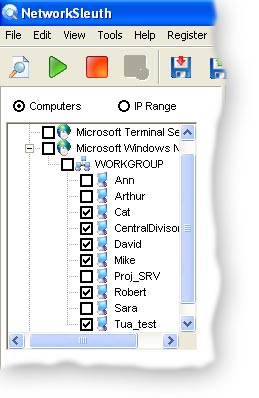
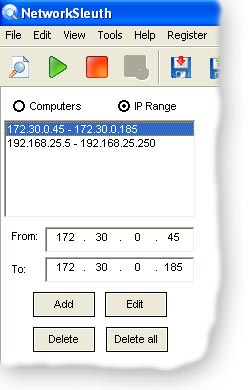
First of all you should specify the search area. You can do this in two ways, by using network tree or by specifying IP- range. Examples of this two cases is shown on the pictures bellow.
Specifying search area.
Then you should specify your search criteria. You can specify file name, file type, file size, file content, file attributes, file creation/modification time and date... and so on.
In file name field you can specify name and extension of the files which you want to find. Wildcards also supported. The rules are the same as for
MS-DOS and Windows.
For example:
bey*.mp3 finds all MP3 files which names start with bey. *.dll finds all files with the DLL extension. movie finds all files that contain movie in their names, e.g. "my movies", "homemovie.avi" etc.
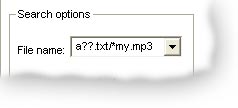
You can search using several wildcards at a time by separating them with slashes.
In this example assumed that the user wants to find all TXT files which names start with a and have only two any letters after that, and all MP3 files which names end with my.
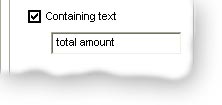
You can also search files by their content like it shown on the picture bellow.
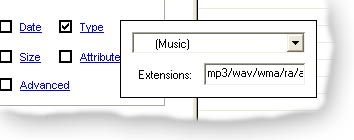
If you are not interested in the file name and want to find files only depending on their type then you can use Type criteria.
You can choose one of predefined type collections (Music, Video, Pictures) which are already contain all possible file extensions, or select any other standalone file type.
There are another search criteria available also. You are free to combine multiple search parameters.
After search options
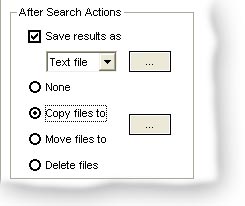
Here you can specify which actions should be automatically taken on search end.
You can choose to automatically save search results in any folder. There are 3 types of supported file formats for results save.
You can choose to automatically copy/move found files to any folder.
And finally you can choose to automatically delete found files.
Nsasoft products may be found in businesses all over the world, including international companies, non profit & government agencies, educational organizations.